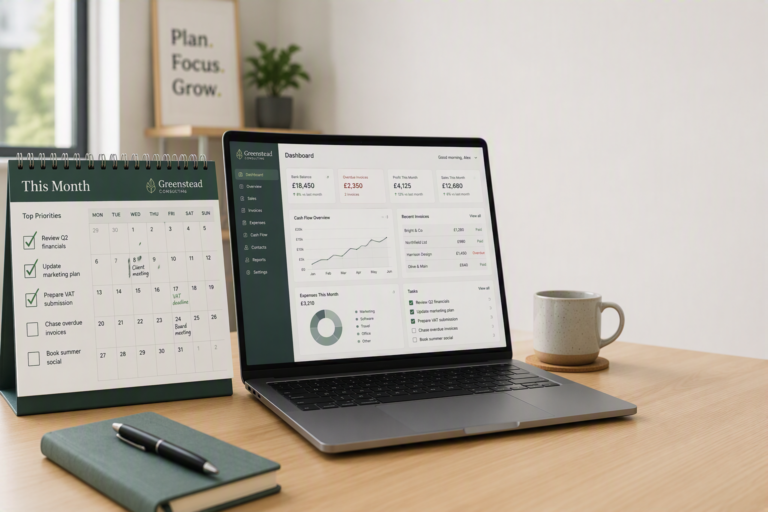
When we sit down with small businesses across Hull and East Yorkshire to audit their IT setup, the pattern is almost always the same. Over three or four years, a growing team picks up a new subscription every time a small operational headache pops up. You need to send a heavy design file, so someone puts a card down for Dropbox. You need to book client discovery calls without endless email tennis, so you sign up for Calendly. Before you know it, a four-person business is quietly bleeding £200 to £300 every single month on overlapping software licences.
Software sprawl is rarely caused by reckless spending. It happens because individual tools are cheap enough to ignore on a monthly bank statement, yet disconnected enough to create daily admin friction. When your staff are copying and pasting data between five different browser tabs just to onboard a new client, you are paying twice: once in subscription fees, and again in lost hours.
If your business already runs on Gmail, or you are looking at managed IT support and cloud migrations to tidy up your operations, upgrading to Google Workspace Business Standard is one of the fastest ways to trim your monthly overheads. At £11.80 per user per month (on an annual commitment, excluding VAT), it bundles enterprise-grade tools that cleanly replace five separate subscriptions you are probably paying for right now.
Here is a practical breakdown of the five software swaps we regularly recommend during our tech stack audits, along with the real-world savings for a typical small UK team.
1. Replace Dropbox or WeTransfer with Google Drive and Shared Drives
The usual setup: Many small firms pay for a basic email host while keeping a separate Dropbox subscription (typically around £7.99 to £12 per user per month) or a WeTransfer Pro account (around £10 to £15 per month) because their standard inbox rejects anything larger than 25MB. The trouble is that files end up scattered across personal folders, desktop sync clients, and expiring download links.
The Google Workspace swap: Google Workspace Business Standard gives every user 2 TB of pooled cloud storage. For a four-person team, that is 8 TB of shared company space, which is more than enough for years of client projects, high-resolution photography, and CAD or design assets.
More importantly, Business Standard unlocks Shared Drives. Unlike standard personal folders, files inside a Shared Drive belong to the company rather than an individual employee. If a staff member leaves, their work does not vanish with their account. You can also share large files or entire folders directly with clients using granular view or comment permissions, eliminating the need for separate file-transfer portals.
2. Replace Zoom Pro with Google Meet
The usual setup: Since remote and hybrid meetings became standard practice, Zoom Pro has remained a staple line item on company credit cards at roughly £11.66 per user per month (ex VAT). Many business owners keep paying for it purely out of habit, or because free video tools cut meetings off after 40 minutes.
The Google Workspace swap: Google Meet is built directly into your Workspace licence and Calendar invites. On the Business Standard tier, you can host video calls for up to 150 participants lasting up to 24 hours, which covers everything from one-to-one client catch-ups to company-wide webinars.
Crucially, Business Standard includes built-in meeting recording straight to Google Drive, automated noise cancellation (a lifesaver if someone is joining a call from a noisy van or a busy coffee shop), and live captions. Every meeting link is generated automatically when you book an event in Google Calendar, meaning clients never have to download an extra desktop app just to speak with you.
3. Replace Calendly with Google Calendar Appointment Schedules
The usual setup: Chasing prospects over email to find a mutually convenient 30-minute slot is a massive time drain. To fix it, thousands of UK sole traders and small agencies pay £8 to £13 per seat per month for Calendly so clients can pick a slot directly.
The Google Workspace swap: Google quietly built a direct Calendly competitor straight into Google Calendar called Appointment Schedules. Included at no extra cost in Business Standard, it lets you create clean, branded booking pages for different meeting types, such as a 15-minute intro call or a 60-minute project consultation.
It checks your availability in real time, lets you set buffer times between meetings so you are never booked back-to-back without a break, limits how many bookings you take in a single day, and automatically adds a Google Meet link to the confirmation. Unless you rely on complex round-robin routing across a massive sales department, paying for a standalone scheduling tool is completely unnecessary.
4. Replace DocuSign or Adobe Sign with Built-in Google eSignatures
The usual setup: Getting proposals, terms of business, and retainer agreements signed quickly is vital for cash flow. Yet dedicated e-signature platforms like DocuSign or Adobe Sign carry steep per-seat pricing, often starting at £10 to £25 per user per month, and frequently cap the number of “envelopes” or documents you can send each month before hitting you with overage charges.
The Google Workspace swap: Google Workspace Business Standard includes native eSignature functionality directly inside Google Docs and PDF files stored in Google Drive. You can drop signature, initials, date, and text fields straight onto a proposal you have just drafted in Docs, click request signature, and email it to your client.
Your client does not need a Google account to sign it. They receive a secure link, review the document in their browser, apply their legally binding electronic signature, and both parties automatically receive a tamper-evident PDF copy with a full audit trail saved right back into your Drive folder.
5. Replace Trello or Basic To-Do Apps with Google Tasks, Keep, and Chat Spaces
The usual setup: Small teams often pay £4 to £10 per user per month for Trello Standard/Premium or standalone task managers just to track basic internal jobs, onboarding checklists, and quick notes. Before long, project updates are split between email threads, WhatsApp groups, and half-updated Kanban boards.
The Google Workspace swap: By combining Google Chat Spaces, Google Tasks, and Google Keep, you get a cohesive internal hub without paying for another login. Within a dedicated project Space in Google Chat, your team can discuss updates, share live documents, and assign tasks directly to colleagues with due dates.
Those assigned items appear immediately inside Google Tasks, which sits in the right-hand side panel of Gmail, Calendar, and Docs. Meanwhile, Google Keep handles quick voice memos, site checklists, and shared scratchpads that can be converted into a formal Google Doc in one click. Everything stays inside one searchable ecosystem.
Real-World Savings: A 4-Person UK Team Comparison
To see how quickly these overlapping subscriptions add up, here is a realistic “Before and After” monthly comparison for a four-person UK consultancy or service business (figures based on typical UK annual-billing rates, excluding VAT):
| Software Function | Typical Third-Party Setup (4 Staff) | Monthly Cost (Ex VAT) | Google Workspace Business Standard |
|---|---|---|---|
| Business Email & Office Suite | Basic Email Hosting / Starter Tier | £23.60 | Included |
| Cloud Storage & File Sharing | Dropbox Standard / Business (4 users) | £40.00 | Included (8 TB pooled + Shared Drives) |
| Video Conferencing | Zoom Pro (2 host licences) | £23.32 | Included (150-person Meet + recording) |
| Client Booking Links | Calendly Standard (4 seats) | £32.00 | Included (Appointment Schedules) |
| Contract eSignatures | DocuSign / Adobe Sign (2 seats) | £36.00 | Included (Docs & Drive eSignatures) |
| Task & Board Management | Trello Standard (4 seats) | £16.00 | Included (Chat Spaces, Tasks & Keep) |
| Total Monthly Spend | 6 Separate Subscriptions | £170.92 / month | £47.20 / month (4 × £11.80) |
| Total Annual Spend | £2,051.04 / year | £566.40 / year |
By consolidating those standalone tools into four Google Workspace Business Standard licences, this business saves £123.72 every month, or £1,484.64 per year. If all four team members previously held Zoom and e-signature licences, those annual savings easily push past £1,800 a year.
When Keeping a Dedicated Third-Party Tool Still Makes Sense
Being anti-bloat does not mean forcing Google Workspace to do jobs it was never designed for. Part of a proper business IT consultation is knowing where native tools stop and specialist software should take over.
You should keep or invest in dedicated third-party software if you need:
- A proper CRM and sales pipeline: Google Contacts and Google Sheets are fine for tracking your first twenty leads, but they are not a CRM. Once you need automated email sequences, deal-stage forecasting, and full customer communication histories, a dedicated platform like HubSpot or Pipedrive pays for itself.
- Complex project dependencies and resource planning: Google Tasks and Chat Spaces are brilliant for straightforward checklists and weekly workflows. However, if you run multi-month construction builds, engineering schedules, or complex client retainers requiring Gantt charts and time-tracking against budgets, stick with a dedicated tool like Asana, Monday.com, or ClickUp.
- Heavyweight accounting and compliance workflows: Google Workspace is not a substitute for Xero or QuickBooks, nor does its basic eSignature tool replace industry-specific compliance platforms if you operate in regulated financial or legal sectors requiring advanced identity verification.
The golden rule is simple: pay for specialist software where it directly drives revenue or manages complex operations, and stop paying extra for basic utilities your core workspace already includes.
Ready to Trim the Fat from Your Monthly Software Bills?
Most small businesses we work with are surprised by how much money is tied up in forgotten renewals and duplicate tools. Moving your team over to Google Workspace, or simply configuring the features you are already paying for, does not need to disrupt your working week.
If you would like a fresh pair of eyes on your current subscriptions, email setup, and cloud storage, get in touch with us for a friendly chat. We help small businesses across Hull and the UK simplify their tech stack, cut unnecessary overheads, and get proper value out of the tools they use every day.